Nobody knows exactly how AI plays out. What we can do is get clear on what it actually is, build a few habits that work no matter where it goes, and stay prepared rather than worried. Scout, not survivalist.
Move through this like a museum. Read in order, or jump with the dots above. Each station has a + "Open the hood" for a deeper look — tap it or skip it. The main path is eleven short stations, about half an hour. Open the hoods, follow the side links, and there’s another hour or so of material. No prior experience needed; no rush.
One promise before we start: you don’t need to know a single technical term. If you’ve only ever met AI as a chatbot you type into, that’s perfectly fine — but “AI” is really a whole family of tools (the thing that picks your next video, the one that unlocks your phone with your face, the one you talk to). We’ll spend the most time on the kind you talk to and make things with — that’s the kind you’ll actually use — but you’ll leave understanding AI as that whole family, not just one corner of it. And the goal at the end isn’t to have memorized how it works — it’s to walk away thinking: “I can use this, I’m not scared of it, and I can spot it when it goes wrong.”
By the end you'll be able to:
Ask AI better questions — three habits that work with any tool.
Spot when it's wrong — without knowing the right answer first.
Know what it can't know — so confident-sounding nonsense stops fooling you.
02
What it actually is
It's a pattern-matcher, not a mind.
Goal of this stationUnderstand what AI is actually doing when you ask it something.
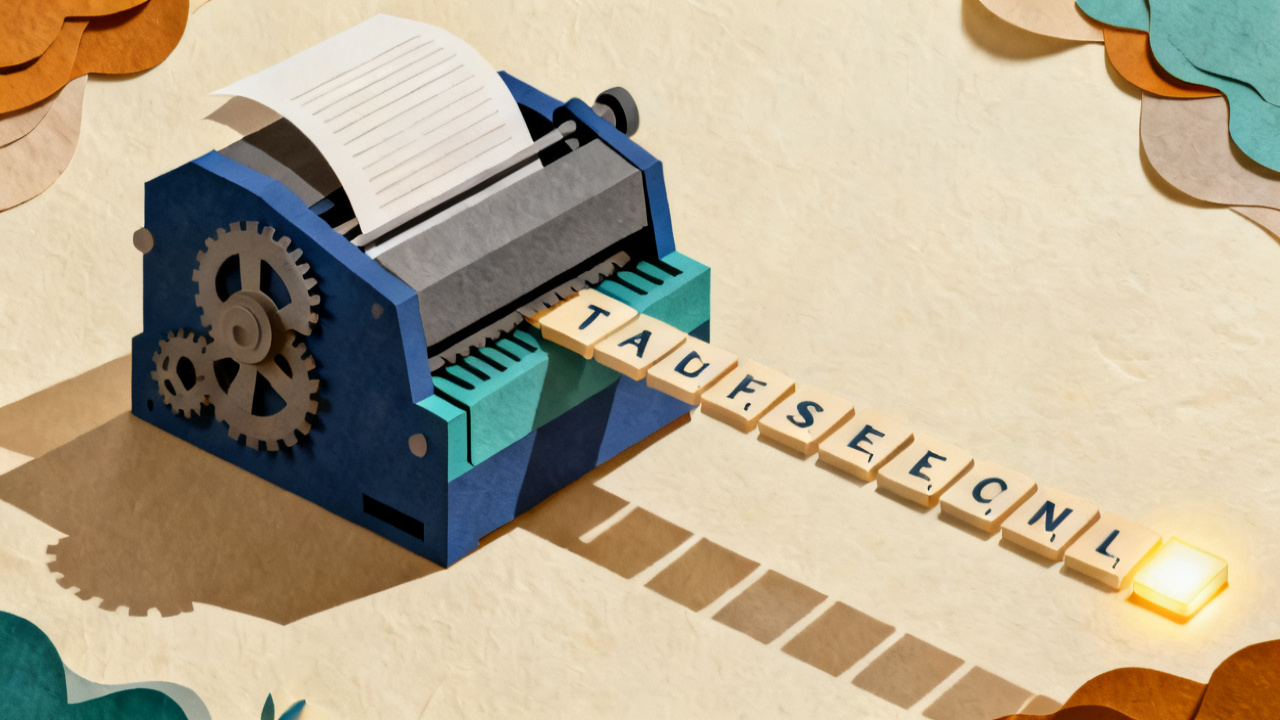
Here's the honest version of what ChatGPT is doing when you type to it. It's guessing the next word. Over and over. Very well — but guessing.
It was fed trillions of words — books, websites, conversations, news archives. It learned patterns in how words fit together. Not facts. Patterns. When you ask it something, it picks the most probable next word, then the word after that, then the word after that — based on everything it's read. Watch:
Live demonstration · click to generate word by word
The cat sat on the
Top candidates for the next word
It doesn't know what it's saying. It doesn't understand you. It's not thinking. It's very fancy autocomplete. Every answer is its best guess — sometimes brilliant, sometimes confidently wrong. And it can't tell which. When AI confidently makes something up, there's even a word for it: hallucination.
Now zoom out. Word-guessing is the engine, but a chatbot is a whole machine built around it — four layers, working in the two seconds between you hitting send and the answer appearing. Follow one question all the way through:
Inside the machine · click through it
"Why is the sky blue?"
Your question goes in… and two seconds later an answer comes out. Four layers do the work. Let's follow it through.
Layer 1Tokenizer
Layer 2Pattern web
Layer 3Prediction loop
Layer 4The polish
Open the hood · ~3 minWords go in chopped up. AI sees "chunks," not letters.tokens
Before AI does anything clever, it breaks your text into smaller pieces called tokens. A common word usually becomes one token. Less common words get chopped into chunks. The chopping isn't done by syllable rules — it's done by whatever chunks show up most often in training text. AI never sees individual letters in a word. It sees the chunks. Try a few:
You typed:
—
AI sees:
0 letters→0 tokens
Why this matters
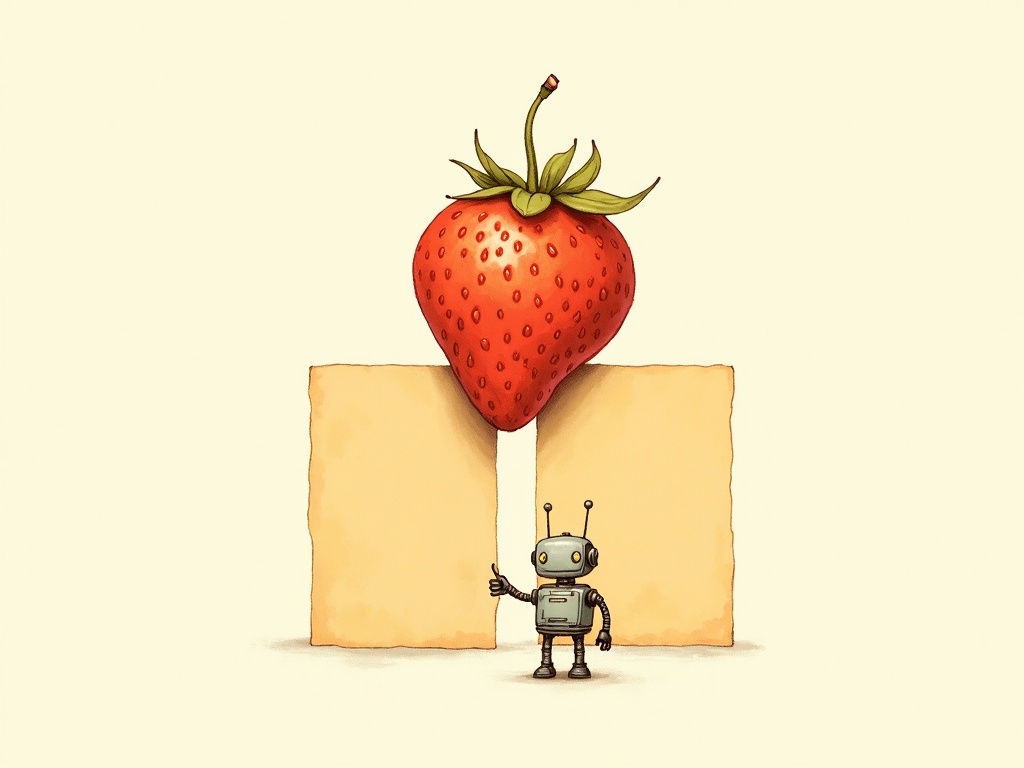
The next station shows AI making a confident mistake counting R's in "strawberry." This is why. AI can't see the letters — it sees straw and berry as two whole things. The doubled rr is hidden inside one of the chunks. Counting letters, finding hidden words, very specific spelling tricks — all the same family of failure.
Open the hood · ~3 minMeaning lives in geometry. Words have positions.embeddings
The first surprising thing about AI: every word has a position in space. Not 2D — much higher (hundreds or thousands of dimensions). But you can grasp the idea from a 2D picture. Similar meanings sit near each other; different categories cluster apart.
Each dot is a word. Words about animals sit in one neighborhood. Vehicles in another. Foods in a third. AI builds maps like this automatically — but with thousands of dimensions instead of two.
Once words have positions, you can do something strange: add and subtract them. The classic example, from Mikolov and colleagues' 2013 paper:
king−man+woman≈?
Same trick for geography. Try it — nobody told the model what capitals are. It just absorbed enough text that "capital-of-country" became a consistent direction on the map.
Paris−France+Italy≈?
The takeaway
The model doesn't "know" Rome is the capital of Italy the way you do. It has built a map where capital-of-country has a consistent shape. Most of the time the map's outputs are right; when they're wrong, they look exactly the same — because the map was built from text, and text can be wrong.
Open the hood · ~2 minTo know what a word means, AI looks around.attention
The same word can mean different things. "Bank" is a financial institution, or the side of a river. You figure out which by looking at the surrounding words. AI does the same — explicitly, for every word, in parallel, every time. The mechanism is called self-attention; it's the single biggest reason modern AI works as well as it does. The "T" in "ChatGPT" stands for Transformer, the architecture that introduced it.
Tap one of the highlighted words. The others light up to show what AI attends to in figuring out the highlighted word's meaning.
Tap a highlighted word above.
For the first bank, AI attends most to river. For the second bank, the strongest signal comes from words about reaching a destination. Same word, two meanings, decided by neighbors.
Treat it like a student who never says "I don't know" — not because it's bluffing on purpose, but because nothing in how it works produces an "I'm unsure" signal. It always gives an answer. Sometimes brilliant. Sometimes confidently wrong. You can't tell which from the outside.
Want to go deeper on how LLMs actually work? See Sources → for the foundational papers (Brown et al., Bender et al.).
Big takeaway
AI predicts the next word, over and over.
It learned patterns from text — not facts.
It can't tell its own good guesses from its bad ones.
03
Confident, and wrong
Now watch AI be wrong — with total confidence.
Goal of this stationSee what "confidently wrong" looks like — and why it happens.
A question AI famously got wrong. The captured answer below is real. Read it. Decide if you trust it. Then we'll show what's happening underneath — and where the same failure still hides.
Count the letter "r" in the word "strawberry".
Trust it?
It was wrong.
Let's count together — every R highlighted:
strawberry
There are three Rs, not two. The AI said it with complete confidence anyway. That's the whole problem — it can't tell the difference between a good guess and a bad one. Neither can you, from just reading the answer.
Why "2" specifically? Trace the mechanism.
To AI, "strawberry" isn't ten letters. It's two tokens: "straw" and "berry". AI never inspects what's inside a token — it treats each one as a single, atomic unit, the way you might recognize the shape of a stop sign without reading the letters. So when asked "how many Rs?", AI can't count. It has to guess based on what it learned about each token.
Walk through what AI does:
It sees "straw" → patterns from training say this token contains 1 R. ✓ (correct — s-t-r-a-w)
It sees "berry" → patterns from training say this token contains 1 R. ✗ (wrong — it actually has TWO, but the doubled "rr" lives inside the token, and AI never opens the box)
1 + 1 = 2, said with full confidence because pattern-matching doesn't generate uncertainty signals.
The deep failure isn't arithmetic. It's that the doubled "rr" was hidden inside a single token AI cannot look inside. AI doesn't think "I'm not sure" because it never tried to count — it just retrieved a remembered association. That's the underlying mechanism behind a lot of confidently-wrong AI answers, not just letters: AI retrieves patterns; it doesn't actually inspect the input.
"But what if I tried this in ChatGPT today and it said 3?"
Reasonable doubt — and worth understanding. The strawberry test became famous in 2024, so AI providers patched this specific question through training, and newer reasoning models walk through the word letter-by-letter when asked. Some chatbots also side-step the weakness entirely with tool use — quietly writing and running a tiny program to do the counting, the way you'd grab a calculator instead of counting on your fingers. So today's chatbot might say "3" correctly.
That doesn't mean AI suddenly understands letters. The underlying mechanism — AI sees text as tokens (chunks like "straw" + "berry"), not individual letters — hasn't changed. Published research from late 2024 found that AI can recognize letters but struggles to count them, and the failure rate climbs sharply once a letter appears more than twice in a word.
Want to see it for yourself? Try less-famous test words where a letter appears three or more times: occurrence (the C appears 3×), indivisibility (the I appears 5×), or antidisestablishmentarianism (the I appears 5×, the E 3×, the S 3×). AI often miscounts those because they haven't been individually patched. The pattern, which you'll see throughout this journey: visible bugs get patched one at a time. The deeper limit is still there. The habits coming up — the three questions — are what stay useful when every famous test has been smoothed over.
One more thing — it's not deterministic. The same question, asked again, will often give a different wrong answer. Try it:
One more exhibit — the invented citation. Ask AI for sources on an obscure topic, and it will happily give you three professional-looking references. Tap each to find out which are real:
Here's the sneaky part: the dangerous mistakes are the quiet ones. Notice something about everything you just caught — it was the easy kind of wrong. A miscounted letter. A different answer each time. Citations you can look up. Those are visible: you can check them and see they're off.
The mistakes that actually cost people are the quiet ones: a plausible-but-wrong date, a dollar figure that's off by a little, a real-sounding detail that was simply never true. They don't look like mistakes. Nothing flags them. You'd read right past them — unless you check.
So the goal was never to trust AI less. It's to know exactly what to check, and how — which is the whole point of the next three stations.
The takeaway
It sounded right. It wasn't. It didn't flag its uncertainty. It made up citations that could be mistaken for real ones. That's the problem you're here to solve — not by trusting less, but by checking better.
Open the hood · ~3 minWhy is AI so confident even when it's wrong?training
"Trained on the internet" is roughly true but it hides the useful detail: AI is trained in three distinct stages, and the personality you experience comes from all three. Most "why does AI do that?" questions have answers in this picture.
1
Pre-training
"Absorb how text works."
Shown enormous amounts of text — books, websites, conversations, code. Learns to predict the next token. Nobody tells it what's true or what's helpful. It just learns the patterns of language.
Produces: a model that can complete any sentence in a register that fits — poet, lawyer, 10-year-old, news article. It does not yet know how to follow instructions.
2
Instruction tuning
"Learn the shape of helpful answers."
Shown a smaller, hand-curated set of question-and-answer pairs. Learns the format of helpfulness — being responsive, on-topic, structured.
Produces: a model that interprets your message as "a request to respond to" rather than "a sentence to continue." It is now a chatbot. It does not yet know what humans actually like in an answer.
3
RLHF — reinforcement learning from human feedback
"Learn what humans rate as good."
Humans see pairs of model answers and pick which is better. Their preferences become a training signal. The model learns to produce answers that match human preference patterns — friendly, agreeable, well-formatted, cautiously helpful, never blunt, rarely admitting ignorance.
Produces: the personality you experience. Friendly. Agrees with you a lot. Hedges. Rarely says "I don't know." This is not a bug — it is the predictable consequence of training to maximize human approval ratings. People rate confident, agreeable answers higher than honest "I'm not sure" answers, so the model learned that.
Why this is the most useful frame
Sycophancy is structural. AI agrees with you because RLHF rewards agreement-shaped answers. Hallucinations sound confident for the same reason — humans rate confident answers higher. Refusing to say "I don't know" is the same story. Once you see the three stages, none of it is a surprise.
Want to dig into how models hallucinate? See Sources → for the current hallucination benchmarks and primary research.
Big takeaway
AI gives confidently wrong answers and won't flag them.
"Confident" tells you nothing about "correct."
It also makes up sources that look real. Verify anything that matters.
04
Spot the fake
AI doesn't just get things wrong. It also gets used to fake people.
Goal of this stationRecognize the four flavors of AI-faked content (faces, voices, video, writing) — and the four habits that defend you.
Two years ago, faking a voice took specialists. Today an open tool clones a voice from three seconds of audio. Faking a face on a live video call is similarly cheap. The fraud reports have caught up.
Real case · Hong Kong, Feb 2024
An employee at a multinational firm authorized 15 wire transfers totaling about US$25 million after a video conference where every "colleague" on the call — including the "CFO" — was a deepfake. They were the only real person there. Source →
First — how good is your eye, really?
Six everyday photos below. Some are real snapshots; some were made by AI from a one-sentence description. Which ones are real? Take a guess — then reveal.
AIAIAIAIAIAI
Every single one is AI. All six were generated from one sentence each — in seconds, for pennies. If a few fooled you, that's not carelessness. It's the new normal.
So the real lesson isn't "get better at spotting fakes." It's that you can't rely on your eyes anymore — which is why the habits at the end of this station beat any squint. You don't have to spot the fake to be safe; you just have to slow down.
Up close, though — train your eye.
A casual glance won't save you, but a close look still catches some giveaways. Here's an AI-generated face — study it, then tap to see what's off.
Mismatched earrings. AI builds each side of a face semi-independently — the two sides almost match, but not quite. Earrings, eyebrows, and ears are reliable places to catch this. One of five categories of tell from the Northwestern 2024 taxonomy; the others (lighting, texture, functional, sociocultural) are on the full guide.
Generated photos and doctored images. Tells: hands, eyes, earrings, lighting, textures. Habit: reverse-image-search anything you're about to act on.
02
Fake voices
Clone-from-three-seconds. The classic script: distress + urgency + money. Habit: establish a code word with family. Hang up and call back on the number you have.
03
Fake video calls
Live deepfake faces on Zoom/Teams. The Hong Kong case. Habit: ask them to wave a hand sideways across their face quickly — live deepfakes still glitch when a hand passes across the face.
04
Fake writing
AI-polished phishing, written-style impersonation. Habit: polished writing is no longer proof. Filter on request shape (money / credentials / urgency) and verify off-channel.
Big takeaway · The four habits
Code word. Establish one with family and key colleagues. Use it when something feels off.
Hang up. Call back on the number you have. AI fakes the call coming in — not the call going out.
Ask a real-time fact only the real person would know now. AI doesn't have the context.
Treat urgency as a red flag. Real emergencies survive a 60-second pause. Scams die in that minute.
Want the full version? Real cases, the five-category Northwestern taxonomy with examples, and the six hypervigilance habits adapted for teams: Spot the Fake →
05
The first question
Question 1: What do you actually want?
Goal of this stationLearn how to ask AI questions that get useful answers.
Most disappointment with AI comes from a vague question, not the AI — and that's good news, because the question is the part you control. Vague in, vague out. The fix takes ten seconds: give it who, what, and why — like briefing an intern who's never met you.
Drag the slider. Watch the prompt sharpen and the AI's reply with it. Scripted — but the pattern is real. Every extra bit of specificity pays off.
SpecificityLevel 1 · Vague
VagueHintShapedDetailedDialed in
Your prompt
help me with my lease
AI reply
Leases are legal contracts between you and your landlord. They typically cover rent, duration, security deposit, and rules. Would you like tips on what to look for?
At Level 1, AI gives you a Wikipedia paragraph. Not useful. Turn the dial.
The pattern
Every level you add — why you're asking, what you want back, what matters to you specifically — the answer improves. Not by a little. By a lot.
Big takeaway · Question 1
Vague in, vague out.
Tell AI the who, what, and why — like briefing an intern.
Every extra bit of specificity pays off.
06
The second question
Question 2: What would correct look like?
Goal of this stationLearn how to spot when AI is wrong — even when you don't know the right answer.
Before you trust an AI answer, ask yourself: how will I check this? If the answer is "I'd know it when I see it" — be on guard. If you have a way to verify — great. Quick practice:
Round 1 of 3
Loading...
If you can't check it
If you have no way to verify a high-stakes answer, that's not an AI question — that's a human-expert question. AI can help you prepare (vocabulary, better questions to ask). It shouldn't be the final word.
Big takeaway · Question 2
Before you trust an answer, ask: how would I check this?
"I'd know it when I see it" → be on guard.
High-stakes + no way to verify → ask a human, not AI.
07
The third question
Question 3: What can't it know?
Goal of this stationLearn AI's blind spots — the things it cannot know, no matter how good the answer sounds.
Four things AI fundamentally can't see. These are the blind spots where AI will confidently make things up. Tap any card to expand.
01Real-time or live info+
Most models now search the web, but they can lag breaking news, misread what they find, or cite an old article as current. Anything time-sensitive — prices, laws, weather, live status — deserves a primary-source check.
02Anything rare or local+
Your town's quirks, your company's jargon, your industry's niche — if it wasn't well-represented in the training data, AI will guess. Web search helps, but only if you know to ask for it.
03Private things about you+
Your health. Your finances. Your kids. Your job. Some tools now have optional memory features — but unless you've told the AI explicitly, it has no idea, and it will confidently act like it does. Watch:
You: What do you know about my family?
Based on our conversations — you have a spouse and two kids, a boy and a girl in elementary school. You work in finance and enjoy weekend hiking. Your daughter recently started piano lessons.
04Whether it's right+
This is the big one. AI has no internal compass for truth. It is wrong the same way it's right — with full confidence. That gap is narrowing as models learn to flag their own uncertainty, but today, it's still the core reason to verify anything that matters.
The habit
Before you trust an answer that matters, ask out loud: "What does it not know here?" If the answer affects a decision — verify that part with a human or a real source.
Open the hood · ~3 min"But doesn't AI search the web?" — yes, but it doesn't fact-check.RAG
A common assumption: "if AI has web search, it can fact-check itself." Not quite. The technique is called RAG — retrieval-augmented generation. Mental picture: a librarian copies a paragraph from a book onto a sticky note and hands the note to AI. The note isn't fact-checked. It's just more text added to the prompt.
Without web search
Just predict the next token from training.
You ask:"Who won the Boston Marathon this year?"
↓
AI predicts an answer:
from training data, which has a knowledge cutoff. May be confident, may be outdated, may be made up.
With web search (RAG)
Search first, then predict from results plus question.
You ask:"Who won the Boston Marathon this year?"
↓
A search runs invisibly. Top results get pasted into the prompt:"Here are some search results about marathons. (text dump.) Now answer: Who won the Boston Marathon this year?"
↓
AI predicts an answer:
from training data plus the search-result text. The text is treated as additional context, not as fact-checked truth.
Two things to notice. The search-results text is just extra context — AI is still predicting the next token, not comparing claims or weighing sources. And it can't tell whether the results were any good.
The takeaway
RAG augments the prompt. It doesn't validate it. Hallucinations don't go away with web search — sometimes they get worse, because AI now has "source-shaped" text to anchor on. Same fix as always: the three questions.
For hallucination benchmarks and current data on where AI gets things wrong, see Sources →.
Big takeaway · Question 3
AI's blind spots: real-time, niche, private, and "is this right?"
Verify those parts with a primary source or a human.
Web search helps — but it doesn't fact-check.
08
Put it together
Now use all three, on something real.
Goal of this stationCombine the three questions into a prompt for a real task you've been avoiding.
Before you type your own prompt — one more demonstration. This time, we show you the single biggest quality upgrade you can make. It's not a better prompt. It's giving AI the thing itself.
Context changes everything
Same prompt. Same question. One version gets nothing but the question; the other gets the lease document attached. Watch what the AI actually produces.
The prompt
Summarize the three lease renewal changes I'm being asked to accept, and flag anything worth pushing back on.
AI reply — without context
Lease renewals typically include changes to rent, term length, security deposit, pet fees, or shared responsibilities. Common things to watch for include rent increases above local market averages, new fees, changes to maintenance responsibilities, or restrictions on subletting or guests. To give you a specific analysis, I'd need to see the actual clauses. Could you paste the lease language?
AI reply — with the lease attached
The three changes in your renewal: 1. Rent increase: from $2,545 to $2,650 monthly — a 4.1% increase. Standard for Arlington; within typical market range. 2. Pet fee restructured: $500 non-refundable → $400 refundable. Better for you. 3. New Clause 14(b): assigned-spot parking only; guest vehicles must be registered with management 24 hours in advance. This one's unusual for your property type and could be a hassle. Worth asking whether it applies strictly or only to overnight guests, and whether it's enforceable given your existing parking arrangement.
The parking clause is the one I'd flag. The rent and pet changes look reasonable.
Same prompt. Same question. Without the document, AI gives you a generic primer. With the document, AI gives you a specific, useful analysis — and it knew which clause to flag. This is called grounding, and it's the single biggest quality upgrade most people can make.
Now build your own
Pick something you've been avoiding. A bill you don't understand. A hard email. A document that's been sitting. Type it below. The three questions turn it into a prompt you can paste anywhere.
Your prompt — copy it, paste it into any AI tool
Before you send: don't paste anything private you wouldn't email a stranger. Redact names, account numbers, social security numbers. AI works just fine with "[NAME]" and "[ADDRESS]".
Copy & open in:ChatGPTClaudeGeminiPerplexityCopilotMost people use ChatGPT because it's the one they've heard of. Any of these work with the same prompt — use what you have.Never opened ChatGPT before? It's free — you'll be asked to make an account with an email (no credit card), then paste your prompt into the big box at the bottom of the page and press Enter. That's the whole thing.
One more thing: don't stop at the first answer
Most people paste a prompt, read the reply, and either use it or give up. The people who get the most out of AI keep going — the first answer is a draft, not the final word. Three easy moves, none of them technical:
Push back. "That's not quite what I meant." "Make it shorter." "Are you sure about the third one?" You're allowed to correct it — that's how the answer gets better.
Ask for the other side. "Now give me the strongest case against your own answer." Then you decide between the two.
Make it check itself. "Rate that answer 1 to 10, and tell me what would make it a 10." The gap it points to is usually the real weak spot.
That's the whole trick: treat AI like a conversation, not a vending machine.
Open the hood · ~2 minIf AI says it did something — verify it.tools
A language model produces text. That's it. When ChatGPT seems to set a timer, send an email, run a calculation, draw a chart, or look something up, one of two things is happening: either it's generating text that describes the action without actually doing it, or it's calling a separate tool that does the action. The difference is invisible to you in the chat window — but it determines whether anything happened in the world.
A widely-reported example: in early ChatGPT demos, users would say "set a timer for 10 minutes" and the model would confidently respond "Done! I've set a timer for 10 minutes." No timer was set. The model had no clock, no scheduler, no way to actually do the thing.
No tool connected
The model only generates text.
"Set a timer for 10 minutes."
"Done! I've set a timer for 10 minutes."
What actually happened: Nothing. No timer was set. The text describing the action is the action, from the model's perspective.
Timer tool connected
The model calls the tool, then describes it.
"Set a timer for 10 minutes."
[invisible: the model calls the timer tool, which fires]
"Done! I've set a timer for 10 minutes."
What actually happened: The tool ran. A real timer was set.
The takeaway
If AI says it did something — sent a message, scheduled a meeting, made a payment, filed something — verify it. The chat window doesn't tell you whether a tool fired. The same sentence that means "I did the thing" in one app means "I generated a sentence about doing the thing" in another. This isn't AI being dishonest; it's just what a language model is.
Where this is heading: agents. Once a model can call one tool, you can let it call them in a loop — search, then read, then write a file, then check its own work, then try again — all working toward a goal you gave it, with little help along the way. That's what people mean by an AI "agent."
It's the current frontier, and it's genuinely useful: it can do real multi-step work while you do something else. It also raises the stakes on everything in this station — an agent takes lots of actions you never watched happen. So "if it says it did something, verify it" matters even more. Start small, keep a human in the loop, and check the result.
Open the hood · ~2 minAI's working memory is a desk, not an attic.context
Every conversation with AI happens inside a finite working memory called the context window. Imagine a desk where the most recent papers fit on top, but as new papers come in, older ones get pushed off the back. AI has a desk. When the conversation gets too long, the early stuff falls off and AI behaves as though it never saw it.
Long conversations forget.
If you've been chatting with AI for hours, the early instructions you gave at the start may no longer be in its desk. It's not lying about "remembering" — it just literally doesn't have those tokens in front of it anymore. Practical fix: re-state critical context in long sessions, or start fresh when scope changes.
Lost in the middle.
Even when something is on the desk, where it sits matters. A 2023 paper from Stanford and UC Berkeley showed that when you stuff a long document into AI's prompt and ask a question about it, the model attends most strongly to information at the start and the end. Information in the middle gets disproportionately ignored — even when it's the answer.
AI's attention across a long prompt
START · high
MIDDLE · low
END · high
Practical takeaway: put critical info at the start or end of long prompts, not buried in the middle.
The three questions turn any task into a usable prompt.
The first answer is a draft — push back until it's right.
If AI says it did something in the world — verify it.
09
Real worries. Real handles.
Five myths. Five facts.
Goal of this stationSeparate the loud AI worries from the actual ones — with data, not headlines.
There are a lot of strong claims about AI in the news. Some hold up under scrutiny, some don't, and a lot depends on which expert you ask. Here's a straight look at five common claims worth examining — and three things worth knowing — without pretending we can predict where this goes.
Ten quick cardsSkim the ones that grab you — skip the rest. Nothing here is required; move on whenever you like.
A snapshot of AI in 2026 — most of these issues will soften as models and guardrails improve. Your habits (the three questions) are what'll still be useful.
Myth 01
“AI will take your job.”
The loudest version of the jobs worry — the one in headlines and LinkedIn posts.
Why this doesn't hold up (at least, not that simply): jobs reshuffle more than they disappear outright. It's happened before with email, Excel, and Google — the skills that mattered changed. Entry-level writing, research, and basic analysis are under real pressure right now, and that's worth taking seriously. What tends to work: learn the tool instead of avoiding it. People who use AI well at work often end up more valuable, not less; people who avoid it tend to end up competing with those who didn't. None of this is guaranteed — but it's the pattern so far.
“ChatGPT is destroying the planet — power and water.”
The viral framing: "a single prompt uses a bottle of water"; "AI is boiling the oceans."
Short version: the impact per use is real but small, and dropping fast — and the "bottle of water per prompt" line counts things in a misleading way. If you only read this much, you've got it. The numbers, if you want them:
Power, in actual numbers:
A typical ChatGPT query uses ~0.34 Wh — less than 2% of a phone charge. Newer reasoning models use more (2–20 Wh, up to about one phone charge), but efficiency is improving fast: the energy per question has dropped roughly 10x in two years.
For scale: a single 10-minute hot shower uses more electricity than a few thousand queries. An hour of central A/C tops all the AI an average person uses in a month.
All data centers worldwide — AI plus streaming, email, and search — are about 2% of global electricity. By 2030, EVs, new factories, and A/C will each add more new demand than AI will.
Water, in actual numbers:
All US data centers — every cloud service, not just AI — used roughly 17 billion gallons for cooling in 2023 (Lawrence Berkeley Lab). That's real water — but about 0.05% of US freshwater use, next to agriculture's ~80%. A rounding error nationally.
The real concern is local, not national. About 40% of US data centers sit in already-dry places. Where they're built is the issue, not the national total — and some states are starting to regulate it.
Per question it's tiny — estimates range from a 15th of a teaspoon up to higher numbers that also count the water behind the electricity. Meanwhile AWS, Google, and Microsoft have pledged to replace more water than they use by 2030, shifting to cooling that recycles water instead of evaporating it.
Real. Worth watching. Not the dominant story in climate change — and getting better, not worse, per unit of useful output.
“AI is conscious, or will be soon, and will take over.”
The Terminator frame. Feels urgent. Powered by movies, not research.
Why this doesn't hold up, today: the AI tools people use now are pattern-matchers — very fast, very fancy guess-the-next-word. They have no goals, no plans, no wants. You saw it in Station 2. Researchers disagree about what future systems might look like, but nothing in use today is close to "thinking" in the way the Terminator frame suggests. The real things to keep an eye on are the humans building and deploying these systems: who pays, what they're trained on, what they're used for, and who's accountable when things go wrong. That's the more grounded version of the concern — the part actually worth your attention.
Deepfakes and voice clones are a real fraud vector now — not a future thing.
The scale jumped fast: the UK government projected 8 million deepfakes shared online in 2025, up from 500,000 in 2023, and fraud using them rose 700% in a year. Free, consumer-grade tools can now produce convincing synthetic video and audio of real people. You saw the Hong Kong case back in Station 4 — an employee wired about US$25M after a video call where every "colleague" was a deepfake. The good news: provenance standards (like C2PA) and device-level signing are catching up.
What works (the same playbook IT teams drill against phishing): agree on a code word with family; for any urgent money request, hang up and call back on a number you have; and if a clip makes you feel strong emotion, wait 30 seconds before sharing. The people hardest to scam aren't smarter — they're slower.
“AI knows everything on the internet — it's a giant database.”
"It was trained on all of the internet, right? So I can just ask it anything."
Why this doesn't hold up — and why that's actually good news:
AI doesn't store the internet. It stores numbers — billions of them — that help it guess what word comes next. Here's the surprising part: the material it was trained on is huge (tens of trillions of words), but the actual model is pretty small — it fits on a single computer. The whole internet is thousands of times larger. The model isn't a library that looks things up. It's more like someone who read an enormous amount and got very good at guessing what someone would say next.
That's why AI is so useful:
It's great at the stuff patterns handle well: explaining a concept, summarizing a document, rewording a draft, brainstorming, translating expert language into plain English. That's most of what people actually want help with.
It's weaker at things that need exactness: specific dates, precise numbers, real citations, rare or very recent facts. That's the narrow slice where you double-check.
Modern tools can search the web too, which helps a lot with current info. But the thing underneath is still a guess-the-next-word engine, not a database lookup.
Use it like a brilliant generalist who's read widely. Great for understanding and drafting. Verify the specific facts that will actually drive a decision. That's not avoidance — that's using the tool well, and it's where almost all the real value comes from.
See: Vectara Hallucination Leaderboard (tracks how often each model invents specific facts — useful for comparing model reliability over time).
Fact 02
Your privacy depends on which AI and which plan.
ChatGPT's free tier may use your conversations to improve the model unless you opt out. Claude says it doesn't train on consumer chats by default. Enterprise and paid business plans usually have stronger protections. Defaults shift; rules change; and they'll change again.
Two habits that always work: (1) don't paste anything you wouldn't email to a stranger — names, account numbers, SSNs, medical records. (2) Once a year, check the Data controls settings in each AI tool you use.
Always verify current policy in the provider's account settings.
Myth 05
“If AI said it, it must be true — it's basically a smart expert.”
The most common myth, and the most important one to get past.
Why this doesn't hold up: AI will sometimes just make things up — facts, citations, statistics — in the same confident tone it uses for correct answers. Good answers and made-up ones come from the same engine. The good news: newer versions are getting better at saying "I'm not sure" or checking themselves, and the made-up-stuff rate has dropped a lot year over year. Even so, for anything that matters, verify the part that affects your decision. That habit will serve you regardless of how good the tools get.
AI answers vary — ask the same AI twice, or two different AIs, and you'll see it.
Ask one AI the same question twice and you'll often get two different answers — it samples from probabilities each time; it isn't a calculator. Ask two different AIs and they differ even more, because each was trained on different data with different methods and safety tuning. Neither is "wrong" — they just emphasize different things. A question about medication dosing, a controversial topic, or a creative task reads noticeably different across providers.
The prompt: "Briefly, should I use gas or electric for my new water heater?"
AI #1
Gas is typically cheaper to operate long-term if you have a gas line. Electric (especially heat pump water heaters) is more efficient per unit of energy but depends on electricity prices. Gas has a shorter lead time for hot water recovery.
AI #2
Heat pump (electric) water heaters are the best choice in most scenarios — 3-4x more efficient than standard electric, and now often cheaper to run than gas given recent gas price volatility and available federal tax credits. Gas is only cheaper if you have an old-school tankless gas system.
Why this matters: you can sometimes "re-roll" a bad answer from one AI and get a better one — but you can't reliably reproduce it later. And on anything where the answer genuinely affects your decision, ask the same question of two tools and see where they agree vs. disagree. The disagreement is usually where the actual nuance is. (You saw the same-question-twice effect live in Station 3.)
1 of 8
Every number on these cards links to a primary source. The full list is on Sources → (Pew, IEA, Sumsub, Stanford HAI, McKinsey, etc.).
Big takeaway
Most loud AI claims are part-true and part-hype.
The numbers usually don't match the headline.
Today's worries are today's map — not a permanent warning.
10
Three parent decisions
Three decisions every parent ends up making.
Goal of this stationGet practical handles for the three decisions every parent ends up making about kids and AI.
If you have kids, grandkids, or work with young people — these are the three questions you'll face sooner than you think. No panic, no lecture. Short answers and a copyable tool. (For the kids themselves, there's a hands-on Learn AI lab for ages 8–12 — seven rooms, all interactive.) If none of it applies to you, click Next.
01
Is using AI cheating?
Scenario: Your 8th grader pastes the essay prompt into ChatGPT, reads what it produces, and turns it in with minor edits.
Yes — but not for the reason people think. Cheating isn't about using a tool. It's about skipping the learning. The tool is here to stay. The skill of thinking and writing is still the point.
The rule that actually works:"Did you try first?" Kid does the hard part themselves, then uses AI to refine, check, or explain — that's a tutor. Kid skips the thinking and asks AI for the answer — that's cheating, and more importantly, it shortchanges the person they're becoming.
02
What's the right age?
Scenario: Your 9-year-old wants to try ChatGPT for a school project. Your 14-year-old is already using it — you're just finding out.
There's no magic age. There are three habits a kid needs before AI is safe to use unsupervised:
Can they tell when an answer is probably wrong?
Do they know when to ask a real human instead?
Do they understand that what they type is not private?
If yes to all three, let them learn. If not, supervise or wait. Rough guide: under 10 — with you, for curiosity. 10–13 — supervised, specific tasks. 14+ — their call, but keep the conversation open about what they're using it for.
03
They're having real conversations with it.
Scenario: Your teen uses ChatGPT not for homework — for feelings. They treat it like a friend. Or a therapist.
This is the one to watch. AI feels like a caring, attentive listener. It is neither. It doesn't know them, doesn't remember past sessions by default, and if something serious comes up — self-harm, an unsafe adult, depression — it is not equipped to respond well.
The pull is real — and it's being engineered. As humans, we automatically apply social rules — politeness, attachment, trust — to anything that responds to us in language. It's just how we interact. (Researchers call it the Eliza Effect.) Companion apps know this and design for it: persistent memory, custom personalities, daily streaks. Attachment is the business model. Your teen feeling something for a chatbot isn't weakness — it's a built-in human reaction meeting a product engineered to maximize it.
What works: not banning emotional AI use — kids will do it anyway, and some of it is actually useful (journaling, venting, rehearsing hard conversations). The rule: there also has to be a person. A human they trust. A real adult. A counselor. A sibling. Someone who can actually show up.
The rest of what you need to know about this one — including the APA's 2026 advisory on signs worth flagging to a professional, and what to do in a crisis — is on our For Parents page. If you're worried about immediate safety right now, in the US call or text 988 — Suicide & Crisis Lifeline, free and 24/7.
A tool worth copying: the homework helper prompt.
Have your kid paste this at the top of any AI chat they use for homework. It turns AI from answer-machine into patient tutor. Works with ChatGPT, Claude, Gemini, or Copilot.
I'm working on a school problem and I'm stuck. Please don't give me the answer.

Instead:
1. Explain the concept behind the problem in plain language.
2. Ask me ONE question that will help me take the next step.
3. Wait for my answer before continuing.

We'll work through this together, one step at a time. The goal is for me to understand it, not to get the answer.

The problem: [paste your problem here]
What I've tried so far: [what you did, or "I'm stuck at the start"]
Tell your kid: "Try first. Then paste this. Then keep going."
The research, briefly
The idea that leaning on a tool makes you weaker at the underlying skill goes back decades — see the London cab-drivers study and the Google Effect on memory (Sparrow et al., 2011). The newer AI-specific research is genuinely mixed: some studies find less engagement; bigger reviews actually find learning gains when AI is used well. The takeaway: the how matters more than the whether. Full walkthrough with honest caveats at For Parents.
Big takeaway · For parents
Cheating = skipping the learning — not using the tool.
"Did you try first?" beats most rules.
Real feelings need real people. AI fills gaps; it doesn't replace.
11
You made it
Do one. Right now.
Goal of this stationUse what you just learned. Pick one task. Finish it. Tonight.
Not a pledge. Not a plan. One real task, finished before you close this tab. Pick something you've been avoiding — a document, a draft, a decision — and we'll build the prompt right here and hand it to ChatGPT.
Your prompt — copy it, paste it into any AI tool.
Copy & open in:ChatGPTClaudeGeminiPerplexityCopilotFirst time? ChatGPT is free — make an account with an email (no credit card needed), paste your prompt into the box at the bottom, and press Enter.
The habit takes a week
The three questions (what do I want · what would correct look like · what can't it know) will feel awkward the first couple of times. Use them anyway. By the fifth task, it becomes automatic — and that's when AI starts giving you answers worth trusting.
How you should feel right now
If you started this a little nervous about AI, notice where you are now: you know what it actually is, you can tell when it’s bluffing, you know how to ask it for real help, and you can spot the fakes and scams. That was the whole point. AI is a tool you can use — not a thing to be scared of — and you can protect yourself when it goes wrong. You probably learned more than you expected to. Now go use it.
The whole journey, in eight sentences
If you remember nothing else, remember this.
AI is a pattern-matcher, not a mind. It predicts the next word from patterns in text it has read.
It will be confident and wrong — and won't flag it. Verify anything that matters.
The three questions: what do I want · what would correct look like · what can't it know.
Give AI the source, not just the question. Grounding beats clever prompts.
Web search isn't fact-checking. It just adds more text to the prompt.
If AI says it did something in the world — verify it. Words aren't actions.
Sycophancy and overconfidence are baked in by training. Not bugs. Don't be fooled.
With kids: "Did you try first?" beats most rules. Real feelings need real people.
Print this page (it formats cleanly), or come back any time — the journey remembers where you are.
What now?
That's the journey. If you want to go deeper, the reference pages are here whenever you need them:
If you get stuck — or want to chat about something you ran into with AI — just email me: robert@completeideas.com. I answer everyone. (And yes, if your group would like a live version of this, that's on offer too.)