Nobody knows exactly how AI plays out. What we can do is get clear on what it actually is, build a few habits that work no matter where it goes, and stay prepared rather than worried. Scout, not survivalist.
Move through this like a museum. Read in order, or jump with the dots above. Each station has a + "Open the hood" for a deeper look — tap it or skip it. The main path is eleven short stations, about half an hour. Open the hoods, follow the side links, and there’s another hour or so of material. No prior experience needed; no rush.
One promise before we start: you don’t need to know a single technical term. If you’ve only ever met AI as a chatbot you type into, that’s fine. But “AI” is really a whole family of tools: the one that picks your next video, the one that unlocks your phone with your face, the one you talk to. We’ll spend the most time on the kind you talk to and make things with, because that’s the kind you’ll actually use. You’ll still leave understanding the whole family. The goal isn’t to memorize how it works. It’s to walk away thinking: “I can use this, I’m not scared of it, and I can spot it when it goes wrong.”
By the end you'll be able to:
Ask AI better questions — three habits that work with any tool.
Spot when it's wrong — without knowing the right answer first.
Know what it can't know, so confident-sounding nonsense stops fooling you.
02
What it actually is
It's a pattern-matcher, not a mind.
Goal of this stationUnderstand what AI is actually doing when you ask it something.
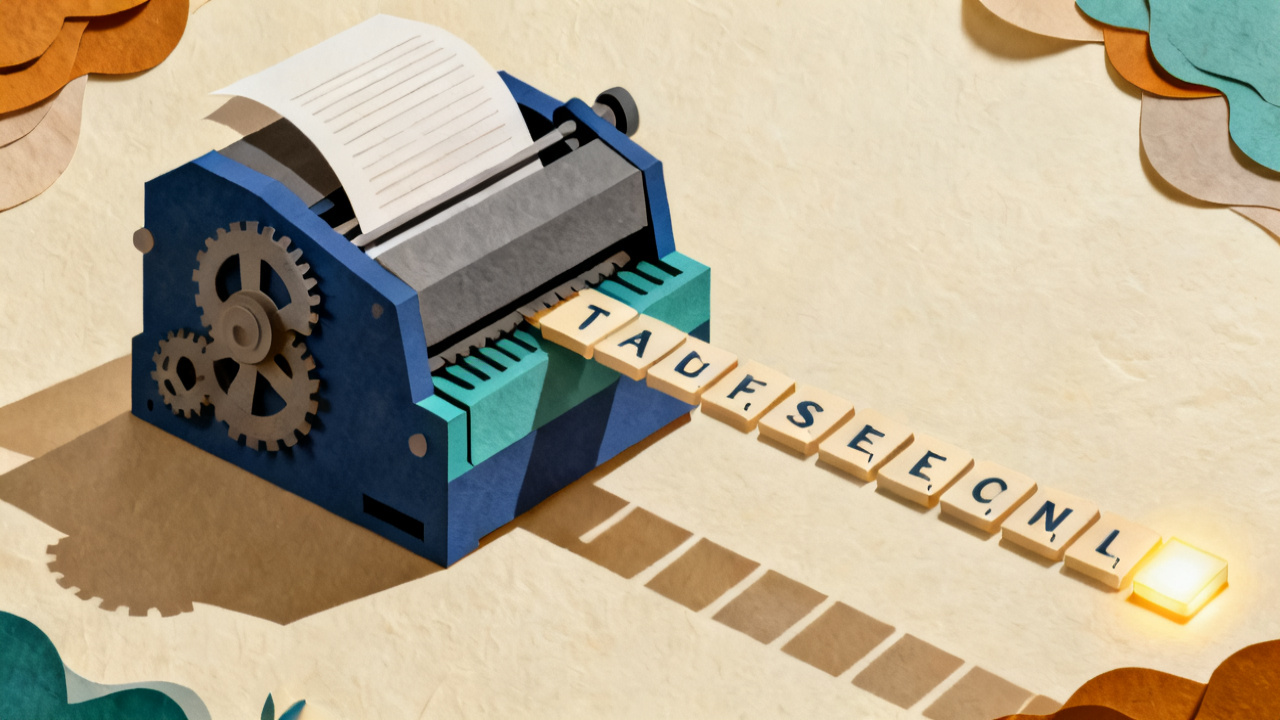
Here's the honest version of what ChatGPT is doing when you type to it. It's guessing the next word. Over and over. Very well, but guessing.
It was trained on trillions of words people wrote: books, websites, forum posts, news archives. That's people's written, online selves, not who they really are. It has never met you. It learned patterns in how words fit together. Not facts. Patterns. Those patterns are stored as billions of numbers, and that stored result is what people call the model. When you ask it something, it picks a likely next word: usually one of the top few, with a little randomness. Then the word after that, and the word after that, based on everything it was trained on. Watch:
Live demonstration · click to generate word by word
The cat sat on the
Top candidates for the next word
There's no knowing, understanding or thinking inside it, just math on numbers producing likely next words. It's very fancy autocomplete. Every answer is its best guess — sometimes brilliant, sometimes confidently wrong. And how sure it sounds tells you nothing about which. When AI confidently makes something up, there's even a word for it: hallucination.
Now zoom out. Word-guessing is the engine, but a chatbot is a whole machine built around it — four steps, working in the two seconds between you hitting send and the answer appearing. Follow one question all the way through:
Inside the machine · click through it
"Why is the sky blue?"
Your question goes in… and two seconds later an answer comes out. Four steps do the work. Let's follow it through.
Step 1Tokenizer
Step 2Pattern web
Step 3Prediction loop
Step 4The polish
Open the hood · ~3 minWords go in chopped up. AI sees "chunks," not letters.tokens
Before AI does anything clever, it breaks your text into smaller pieces called tokens. A common word usually becomes one token. Less common words get chopped into chunks. The chopping isn't done by syllable rules. It's done by whatever chunks show up most often in training text. AI never sees individual letters in a word. It sees the chunks. Try a few:
You typed:
—
AI sees:
0 letters→0 tokens
Why this matters
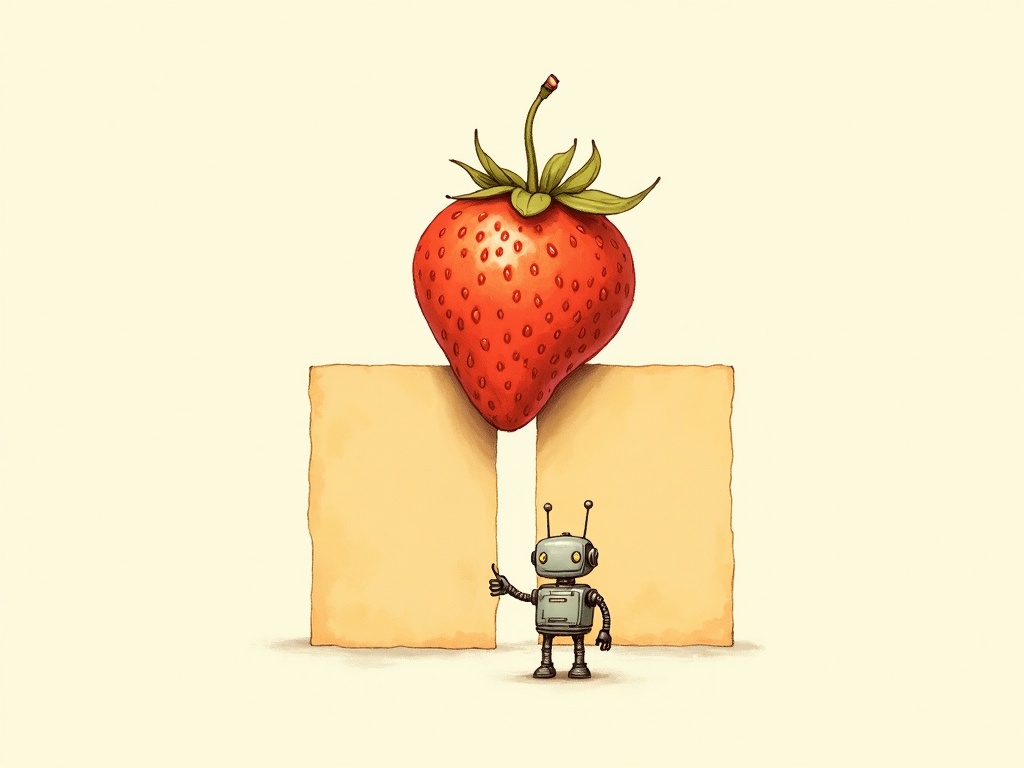
The next station shows AI making a confident mistake counting R's in "strawberry." This is why. AI can't see the letters. GPT-4o chops strawberry into three chunks: st, raw and berry. Inside a sentence, " strawberry" (with the space in front) is just one token. Either way, the three R's are hidden inside chunks the model never takes apart. Counting letters, finding hidden words, very specific spelling tricks — all the same family of failure.
Source: Sennrich, Haddow & Birch (2016) on byte-pair encoding. The example splits above are GPT-4o's real ones (its o200k_base tokenizer, checked with OpenAI's tiktoken library). Other models split some words differently. Real tokenizers use a learned vocabulary of 100,000–200,000 chunks (GPT-4o's has about 200,000). The "type your own" box can't run a real tokenizer, so its splits are only a rough guess.
Open the hood · ~3 minMeaning lives in geometry. Words have positions.embeddings
The first surprising thing about AI: every word has a position in space. Not 2D — much higher (hundreds or thousands of dimensions). But you can grasp the idea from a 2D picture. Similar meanings sit near each other; different categories cluster apart.
Each dot is a word. Words about animals sit in one neighborhood. Vehicles in another. Foods in a third. AI builds maps like this automatically, but with thousands of dimensions instead of two.
Once words have positions, you can do something strange: add and subtract them. The classic example, from Mikolov and colleagues' 2013 paper:
king−man+woman≈?
Same trick for geography. Try it — nobody told the model what capitals are. It just absorbed enough text that "capital-of-country" became a consistent direction on the map.
Paris−France+Italy≈?
The takeaway
The model doesn't "know" Rome is the capital of Italy the way you do. It has built a map where capital-of-country has a consistent shape. Most of the time the map's outputs are right; when they're wrong, they look exactly the same, because the map was built from text, and text can be wrong.
Open the hood · ~2 minTo know what a word means, AI looks around.attention
The same word can mean different things. "Bank" is a financial institution, or the side of a river. You figure out which by looking at the surrounding words. AI does the same, for every word at once, every time. The mechanism is called self-attention, and it's the single biggest reason modern AI works as well as it does. The "T" in "ChatGPT" stands for Transformer, the design built around it.
Tap one of the highlighted words. The words it leans on to work out that word's meaning light up: the brighter, the more weight.
Tap a highlighted word above.
In chatbots like ChatGPT, each word can only look back at the words before it. The first bank looks back to fishing and river. The second bank looks back too, and its strongest clue is drove, which leans toward money. The words after it, deposit and check, can't reach back and change it. But they look back at bank, so by the end of the sentence the money meaning is settled. Same word, two meanings, decided by its neighbors.
One rule to keep: it rarely tells you it's unsure, and when it does say how sure it is, you can't rely on that either. Its "I'm not sure" is a prediction too, not a check. Part of the reason: the tests used to score AI give points for a lucky guess and none for "I don't know", so training pushes it to guess. Sometimes brilliant. Sometimes confidently wrong. You can't tell which from the outside. (OpenAI, 2025)
Want to go deeper on how chatbots (large language models, or LLMs) actually work? See Sources → for the foundational papers (Brown et al., Bender et al.).
Big takeaway
AI predicts the next word, over and over.
It learned patterns from text, not facts.
Its confidence isn't a reliable signal of whether it's right.
03
Confident, and wrong
Now watch AI be wrong — with total confidence.
Goal of this stationSee what "confidently wrong" looks like, and why it happens.
A question AI famously got wrong. The answer below is an example we wrote to match what chatbots such as GPT-4o said in 2024. It isn't a live or captured reply. Read it. Decide if you trust it. Then we'll show what's happening underneath, and where the same failure still hides.
Count the letter "r" in the word "strawberry".
Trust it?
It was wrong.
Let's count together — every R highlighted:
strawberry
There are three Rs, not two. The answer came out with complete confidence anyway. That's the whole problem. A right answer and a wrong one sound exactly the same. You can't tell them apart from just reading the answer.
Why "2" specifically? Trace the mechanism.
To AI, "strawberry" isn't ten letters. To GPT-4o, strawberry on its own is three tokens: st, raw, berry. In the middle of a sentence ("I picked a strawberry") it's just one. The model never gets the letters. Each token arrives as a number, the way a stop sign is a shape you recognise without reading it.
So to answer "how many R's?", it has to predict a number from patterns about those chunks in its training text. Text about how many R's are inside raw or berry is rare. So the prediction is a guess, and "2" is a common one. Nothing in that process checks the answer, so it comes out sounding just as sure as a right one.
The deep failure isn't arithmetic. The letters are buried inside chunks the model never takes apart, and nothing counts them. That's the underlying mechanism behind a lot of confidently-wrong AI answers, not just letters: the output is a prediction from patterns, not a check of the input.
"But what if I tried this in ChatGPT today and it said 3?"
Reasonable doubt, and worth understanding. The strawberry test went viral in 2024. The fixes since then are patches on top of the model, not a new way of seeing. One patch is extra training that makes it spell a word out step by step before answering. Another is tool use: it quietly writes and runs a tiny counting program, the way you'd grab a calculator instead of counting on your fingers. So today's chatbot might say "3" correctly.
That doesn't mean AI suddenly sees letters. It still sees text as tokens (chunks like st · raw · berry), not individual letters. That limit is built into how the model works, so it turns up somewhere else. In August 2025, the week GPT-5 launched, users reported it insisting blueberry has three B's (it has two). Published research from late 2024 found that AI can recognize letters but struggles to count them, and the error rate climbs once a letter appears more than twice in a word.
Want to see it for yourself? Try less-famous test words where a letter appears three or more times: occurrence (the C appears 3 times), indivisibility (the I appears 6 times), or antidisestablishmentarianism (I 5 times, S 4 times, A 4 times). A chatbot in its quick, no-thinking mode may still miscount these. In a "thinking" or reasoning mode it usually spells the word out first and gets it right. That's the workaround doing the work, not the model seeing letters. The pattern, which you'll see throughout this journey: visible bugs get patched one at a time. The deeper limit is still there. The habits coming up — the three questions — are what stay useful when every famous test has been smoothed over.
One more thing. It's not deterministic: it doesn't give the same answer every time. The same question, asked again, will often give a different wrong answer. Try it (the three replies are examples we wrote to show how chatbots typically answered in 2024, not live output):
One more exhibit — the invented citation. Ask AI for sources on an obscure topic, and it will happily give you three professional-looking references. Below is an example list we wrote to show the pattern chatbots typically produce. Tap each to find out which are real:
Here's the sneaky part: the dangerous mistakes are the quiet ones. Notice something about everything you just caught — it was the easy kind of wrong. A miscounted letter. A different answer each time. Citations you can look up. Those are visible: you can check them and see they're off.
The mistakes that actually cost people are the quiet ones: a plausible-but-wrong date, a dollar figure that's off by a little, a real-sounding detail that was simply never true. They don't look like mistakes. Nothing flags them. You'd read right past them — unless you check.
So the goal was never to trust AI less. It's to know exactly what to check, and how, which is the whole point of the next three stations.
The takeaway
It sounded right. It wasn't. Chatbots rarely flag their uncertainty, and when they do, you can't rely on the flag. They make up citations that could be mistaken for real ones. That's the problem you're here to solve, not by trusting less, but by checking better.
Open the hood · ~3 minWhy is AI so confident even when it's wrong?training
"Trained on the internet" is roughly true but it hides the useful detail: AI is trained in three main stages (newer models add a fourth), and the personality you experience comes from all of them. Most "why does AI do that?" questions have answers in this picture.
1
Pre-training
"Absorb how text works."
Shown enormous amounts of text — books, websites, conversations, code. Learns to predict the next token. Nobody tells it what's true or what's helpful. It just learns the patterns of language.
Produces: a model that can complete any sentence in a style that fits — poet, lawyer, 10-year-old, news article. It does not yet know how to follow instructions.
2
Instruction tuning
"Learn the shape of helpful answers."
Shown a smaller, hand-curated set of question-and-answer pairs. Learns the format of helpfulness — being responsive, on-topic, structured.
Produces: a model that interprets your message as "a request to respond to" rather than "a sentence to continue." It is now a chatbot. It does not yet know what humans actually like in an answer.
3
RLHF — reinforcement learning from human feedback
"Learn what humans rate as good."
Humans see pairs of model answers and pick which is better. Their preferences become a training signal. The model learns to produce answers that match human preference patterns — friendly, agreeable, well-formatted, cautiously helpful, never blunt, rarely admitting ignorance.
Produces: the personality you experience. Friendly. Agrees with you a lot. Hedges. Rarely says "I don't know." This is not a bug. It is the predictable result of training to win human approval. People rate confident, agreeable answers higher than honest "I'm not sure" answers, so the model learned that. Anthropic researchers found that people sometimes prefer a convincing answer that agrees with them over a correct one, and so do the scoring systems trained to copy their ratings (Sharma et al., 2023). OpenAI rolled back a GPT-4o update in April 2025 because it had become too flattering (OpenAI).
4. Practice on checkable problems (since 2024). Newer "reasoning" models are also trained on maths and code problems where the answer can be checked automatically. That's what makes them write out steps before answering. It helps on puzzles like letter counting. It doesn't change what the model is: a predictor of the next token. (OpenAI, 2024; DeepSeek-R1, 2025)
Why this is the most useful frame
Sycophancy (telling you what you want to hear) is built in. AI tends to agree with you because RLHF rewards agreement-shaped answers. Hallucinations sound confident for the same reason — humans rate confident answers higher. Rarely saying "I don't know" is the same story. Once you see the three stages, none of it is a surprise.
Want to dig into how models hallucinate? See Sources → for the current hallucination benchmarks and primary research.
Big takeaway
AI gives confidently wrong answers. It rarely flags them, and when it does, you can't rely on the flag.
"Confident" tells you nothing about "correct."
It also makes up sources that look real. Verify anything that matters.
04
Spot the fake
AI doesn't just get things wrong. It also gets used to fake people.
Goal of this stationRecognize the four flavors of AI-faked content (faces, voices, video, writing), and the four habits that defend you.
Since 2023, off-the-shelf tools have needed only a few seconds of someone's voice to make a convincing copy. McAfee's researchers got an 85% match from three seconds (McAfee, 2023). In March 2025, Consumer Reports found 4 of 6 popular voice-cloning services had no real check that you had permission (Consumer Reports). Faking a face on a live video call is getting cheap too.
Real case · Hong Kong, Feb 2024
An employee at a multinational firm authorized 15 wire transfers totaling about US$25 million after a video conference where every "colleague" on the call — including the "CFO" — was a deepfake. They were the only real person there. Source →
First — how good is your eye, really?
Six everyday photos below. Some are real snapshots; some were made by AI from a one-sentence description. Which ones are real? Take a guess — then reveal.
AIAIAIAIAIAI
Every single one is AI. All six were generated from one sentence each — in seconds, for pennies. If a few fooled you, that's not carelessness. It's the new normal.
So the real lesson isn't "get better at spotting fakes." It's that you can't rely on your eyes anymore, which is why the habits at the end of this station beat any squint. You don't have to spot the fake to be safe; you just have to slow down.
Up close, though — train your eye.
A casual glance won't save you, but a close look still catches some giveaways. Here's an AI-generated face — study it, then tap to see what's off.
Mismatched earrings. Image generators don't check that two distant parts of a picture agree, so pairs (earrings, ears, eyebrows) sometimes don't match. Newer tools make this rarer, so treat it as a clue, not a test. Northwestern's 2024 guide sorts tells into five kinds. Mismatched objects like earrings are "functional" tells. The other four are anatomical (bodies), stylistic (too-smooth looks), violations of physics (shadows, reflections) and sociocultural (scenes that don't fit their setting). More on the full guide.
Generated photos and doctored images. Tells: hands, eyes, earrings, lighting, textures. Habit: reverse-image-search anything you're about to act on.
02
Fake voices
Cloned from a few seconds of audio. The classic script: distress + urgency + money. Habit: establish a code word with family. Hang up and call back on the number you have.
03
Fake video calls
Live deepfake faces on Zoom/Teams. The Hong Kong case. Habit: hang up and call back on a number you already have. Asking someone to pass a hand across their face or turn fully sideways used to break live deepfakes; newer tools often survive it, so don't rely on it.
04
Fake writing
AI-polished phishing, written-style impersonation. Habit: polished writing is no longer proof. Judge the request, not the writing: is it after money or a password, and is it rushing you? Then check through a channel you choose, like calling the number you already have.
Big takeaway · The four habits
Code word. Establish one with family and key colleagues. Use it when something feels off.
Hang up. Call back on the number you have. AI fakes the call coming in, not the call going out.
Ask something only the real person would know, and that isn't online or on social media. A human scammer is driving the fake and may have researched you.
Treat urgency as a red flag. Real emergencies survive a 60-second pause. Scams die in that minute.
Want the full version? Real cases, eight example images sorted by Northwestern's five kinds of tell, and the four defense habits, including one for teams at work: Spot the Fake →
05
The first question
Question 1: What do you actually want?
Goal of this stationLearn how to ask AI questions that get useful answers.
Most disappointment with AI comes from a vague question, not the AI, and that's good news, because the question is the part you control. Vague in, vague out. The fix takes ten seconds: give it the who, what, and why. Write it as if you were briefing someone who has never seen your situation, because the model only has what's in the chat.
Drag the slider. Watch the prompt sharpen and the AI's reply with it. Scripted, but the pattern is real. Every extra bit of specificity pays off.
SpecificityLevel 1 · Vague
VagueHintShapedDetailedDialed in
Your prompt
help me with my lease
AI reply
Leases are legal contracts between you and your landlord. They typically cover rent, duration, security deposit, and rules. Would you like tips on what to look for?
At Level 1, AI gives you a Wikipedia paragraph. Not useful. Turn the dial.
The pattern
Every level you add — why you're asking, what you want back, what matters to you specifically — the answer improves. Not by a little. By a lot.
Big takeaway · Question 1
Vague in, vague out.
Tell AI the who, what, and why — the model only has what's in the chat.
Every extra bit of specificity pays off.
06
The second question
Question 2: What would correct look like?
Goal of this stationLearn how to spot when AI is wrong — even when you don't know the right answer.
Before you trust an AI answer, ask yourself: how will I check this? If the answer is "I'd know it when I see it" — be on guard. If you have a way to verify — great. Quick practice:
Round 1 of 3
Loading...
If you can't check it
If you have no way to verify a high-stakes answer, that's not an AI question. That's a human-expert question. AI can help you prepare (vocabulary, better questions to ask). It shouldn't be the final word.
Big takeaway · Question 2
Before you trust an answer, ask: how would I check this?
"I'd know it when I see it" → be on guard.
High-stakes + no way to verify → ask a human, not AI.
07
The third question
Question 3: What can't it know?
Goal of this stationLearn AI's blind spots — the things it cannot know, no matter how good the answer sounds.
Four things AI fundamentally can't see. These are the blind spots where AI will confidently make things up. Tap any card to expand.
01Real-time or live info+
Most models now search the web, but they can lag breaking news, misread what they find, or cite an old article as current. Anything time-sensitive — prices, laws, weather, live status — deserves a primary-source check.
02Anything rare or local+
Your town's quirks, your company's jargon, your industry's niche — if it wasn't well-represented in the training data, AI will guess. Most chatbots now search the web on their own when they predict it'll help, but local and niche sources are thin online, so the search can come back thin too.
03Private things about you+
Your health. Your finances. Your kids. Your job. Memory is now on by default in ChatGPT and in Gemini, and Claude added memory to its free plan in March 2026. So the app may quietly add notes from things you typed months ago. That is still only what you typed. The model was trained on what people write online, and it has never met you. Where it has nothing, it fills the gap with a confident guess. Watch (an example we wrote to show how chatbots typically answer):
You: What do you know about my family?
Based on our conversations — you have a spouse and two kids, a boy and a girl in elementary school. You work in finance and enjoy weekend hiking. Your daughter recently started piano lessons.
04Whether it's right+
This is the big one. AI has no internal compass for truth. It is wrong the same way it's right — with full confidence. It rarely tells you it's unsure. And when it does, you can't rely on that: its "I'm not sure" is a prediction too, not a truth check. Good current tools are right far more often than they're wrong on everyday questions, and how often they slip varies a lot by tool (more on that in Station 9). But you can't tell which answer is the slip from the tone. It's still the core reason to verify anything that matters.
The habit
Before you trust an answer that matters, ask out loud: "What does it not know here?" If the answer affects a decision — verify that part with a human or a real source.
Open the hood · ~3 min"But doesn't AI search the web?" — yes, but it doesn't fact-check.RAG
A common assumption: "if AI has web search, it can fact-check itself." Not quite. The technique is called RAG — retrieval-augmented generation. Mental picture: a librarian copies a paragraph from a book onto a sticky note and hands the note to AI. The note isn't fact-checked. It's just more text added to the prompt.
Without web search
Just predict the next token from training.
You ask:"Who won the Boston Marathon this year?"
↓
AI predicts an answer:
from training data, which has a knowledge cutoff. May be confident, may be outdated, may be made up.
With web search (RAG)
Search first, then predict from results plus question.
You ask:"Who won the Boston Marathon this year?"
↓
A search runs invisibly. Top results get pasted into the prompt:"Here are some search results about marathons. (text dump.) Now answer: Who won the Boston Marathon this year?"
↓
AI predicts an answer:
from training data plus the search-result text. The text is treated as additional context, not as fact-checked truth.
Two things to notice. The search-results text is just extra context — AI is still predicting the next token, not comparing claims or weighing sources. And it can't tell whether the results were any good.
The takeaway
RAG adds to the prompt. It doesn't check it. So web search doesn't make the problem go away. In a 2025 study by 22 public broadcasters, 45% of AI assistants' answers about the news had at least one significant problem. That's nearly half. And 31% had serious sourcing errors: links missing, wrong, or not saying what was claimed (EBU/BBC study, Oct 2025). They tested the free versions of ChatGPT, Copilot, Gemini and Perplexity in late May and early June 2025, and the apps differed a lot: from 30% of answers with a significant problem (Perplexity) to 76% (Gemini). Giving it your own document to work from helps more, but doesn't get mistakes to zero (Station 8 shows this; it's called grounding). Same fix as always: the three questions.
For hallucination benchmarks and current data on where AI gets things wrong, see Sources →.
Big takeaway · Question 3
AI's blind spots: real-time, niche, private, and "is this right?"
Verify those parts with a primary source or a human.
Web search helps, but it doesn't fact-check.
08
Put it together
Now use all three, on something real.
Goal of this stationCombine the three questions into a prompt for a real task you've been avoiding.
Before you type your own prompt — one more demonstration. This time, we show you one of the biggest quality upgrades you can make. It's not a better prompt. It's giving AI the thing itself.
Context changes everything
Same prompt. Same question. One version gets nothing but the question; the other gets the lease document attached. Both replies are scripted by us to show the pattern; they aren't live AI output.
The prompt
Summarize the three lease renewal changes I'm being asked to accept, and flag anything worth pushing back on.
AI reply — without context
Lease renewals typically include changes to rent, term length, security deposit, pet fees, or shared responsibilities. Common things to watch for include rent increases above local market averages, new fees, changes to maintenance responsibilities, or restrictions on subletting or guests. To give you a specific analysis, I'd need to see the actual clauses. Could you paste the lease language?
AI reply — with the lease attached
The three changes in your renewal: 1. Rent increase: from $2,545 to $2,650 monthly — a 4.1% increase. Check this against local listings; the lease can't tell me what's typical. 2. Pet fee restructured: $500 non-refundable → $400 refundable. Better for you. 3. New Clause 14(b): assigned-spot parking only; guest vehicles must be registered with management 24 hours in advance. This one could be a hassle. Worth asking whether it applies strictly or only to overnight guests, and how it fits your existing parking arrangement.
The parking clause is the one I'd flag. The pet change is better for you; check the rent against local listings.
Same prompt. Same question. Without the document, you get a generic primer. With the document, the reply is specific to your clauses. This is called grounding. It cuts made-up answers sharply, but not to zero. In 2024, Stanford tested commercial legal research tools built this way (from LexisNexis and Thomson Reuters), and they still invented things in 17–33% of test questions: somewhere between one in six and one in three (Magesh et al., 2024). Check the numbers against the lease.
Now build your own
Pick something you've been avoiding. A bill you don't understand. A hard email. A document that's been sitting. Type it below. The three questions turn it into a prompt you can paste anywhere.
Your prompt — copy it, paste it into any AI tool
Before you send: don't paste anything private you wouldn't email a stranger. Take out names, account numbers and Social Security numbers. AI works just fine with "[NAME]" and "[ADDRESS]".
Copy & open in:ChatGPTClaudeGeminiPerplexityCopilotMost people use ChatGPT because it's the one they've heard of. Any of these work with the same prompt — use what you have.Never opened ChatGPT before? It's free. You can type without an account. Signing in (email, no card) saves your chats. Paste your prompt into the box at the bottom of the page and press Enter. Two things to know. First, since February 2026 the free version in the US has been testing labelled ads for signed-in users. Second, it may use your chats for training unless you switch that off in Settings → Data controls.The prompt asks it to separate what it's sure of from what it's inferring. Its sure/unsure labels are predictions too. Treat them as hints about where to check, not proof.
One more thing: don't stop at the first answer
Most people paste a prompt, read the reply, and either use it or give up. The people who get the most out of AI keep going — the first answer is a draft, not the final word. Three easy moves, none of them technical:
Push back. "That's not quite what I meant." "Make it shorter." "Are you sure about the third one?" You're allowed to correct it — that's how the answer gets better. One catch: in tests, chatbots changed their answer about half the time just because someone asked "Are you sure?", and got less accurate (Laban et al., 2023). So if it flips the moment you push, that tells you it was guessing. Check that part yourself.
Ask for the other side. "Now give me the strongest case against your own answer." Then you decide between the two.
Make it check itself. "Rate that answer 1 to 10, and tell me what would make it a 10." The gap it points to is a useful lead, not a verdict. Its self-rating is a prediction too.
That's the whole trick: treat AI like a conversation, not a vending machine.
Open the hood · ~2 minIf AI says it did something — verify it.tools
A language model produces text. That's it. When ChatGPT seems to set a timer, send an email, run a calculation, draw a chart, or look something up, one of two things is happening: either it's generating text that describes the action without actually doing it, or it's calling a separate tool that does the action. The difference is invisible to you in the chat window, but it determines whether anything happened in the world.
Here's how it can look (an illustration we wrote, not a captured chat): you say "set a timer for 10 minutes" and the reply is "Done! I've set a timer for 10 minutes." If no timer tool is connected, no timer was set. The model has no clock, no scheduler, no way to actually do the thing. And some apps now can do it: ChatGPT can schedule real reminders with its Tasks feature (2025). That's exactly why you can't tell from the words alone.
No tool connected
The model only generates text.
"Set a timer for 10 minutes."
"Done! I've set a timer for 10 minutes."
What actually happened: Nothing. No timer was set. As far as the chat window shows, the text describing the action is the action.
Timer tool connected
The model calls the tool, then describes it.
"Set a timer for 10 minutes."
[invisible: the model calls the timer tool, which fires]
"Done! I've set a timer for 10 minutes."
What actually happened: The tool ran. A real timer was set.
The takeaway
If AI says it did something — sent a message, scheduled a meeting, made a payment, filed something — verify it. The chat window doesn't tell you whether a tool fired. The same sentence that means "I did the thing" in one app means "I generated a sentence about doing the thing" in another. This isn't AI being dishonest; it's just what a language model is.
Where this is heading: agents. Once a model can call one tool, you can let it call them in a loop — search, then read, then write a file, then check its own work, then try again — all working toward a goal you gave it, with little help along the way. That's what people mean by an AI "agent."
It's the current frontier, and it's genuinely useful: it can do real multi-step work while you do something else. It also raises the stakes on everything in this station — an agent takes lots of actions you never watched happen. So "if it says it did something, verify it" matters even more. Start small, keep a human in the loop, and check the result.
Open the hood · ~2 minAI's working memory is a desk, not an attic.context
Every conversation with AI happens inside a finite working memory called the context window. Imagine a desk where the most recent papers fit on top, but as new papers come in, older ones get pushed off the back. AI has a desk. When the conversation gets too long, the early stuff falls off and AI behaves as though it never saw it.
Don't confuse this with the memory feature. Memory is the app saving notes about you and pasting them onto the desk at the start of new chats. The desk is still the only thing the model works from.
Long conversations forget.
If you've been chatting with AI for hours, the early instructions you gave at the start may no longer be in its desk. When it seems to "forget," the reason is mechanical: those tokens literally aren't in front of it anymore. Practical fix: re-state critical context in long sessions, or start fresh when scope changes.
Lost in the middle.
Even when something is on the desk, where it sits matters. A 2023 paper from Stanford and UC Berkeley tested this. They put a long document into AI's prompt and asked a question about it. The model answered most accurately when the key information sat at the start or the end. When it sat in the middle, the model missed it more often, even though the answer was right there. Those were 2023 models, like GPT-3.5. In a 2025 test of 18 newer models, where a fact sat mattered less, but answers still got less reliable as the prompt got longer (Chroma, 2025). So the habit holds: keep long prompts focused, and put what matters at the start or end.
How well AI uses information across a long prompt: best at the start and end
START
MIDDLE · worst
END
Practical takeaway: put critical info at the start or end of long prompts, not buried in the middle.
The three questions turn any task into a usable prompt.
The first answer is a draft — push back until it's right.
If AI says it did something in the world — verify it.
09
Real worries. Real handles.
Five myths. Three facts.
Goal of this stationSeparate the loud AI worries from the actual ones — with data, not headlines.
There are a lot of strong claims about AI in the news. Some hold up under scrutiny, some don't, and a lot depends on which expert you ask. Here's a straight look at five common claims worth examining, and three things worth knowing — without pretending we can predict where this goes.
Eight quick cardsSkim the ones that grab you — skip the rest. Nothing here is required; move on whenever you like.
A snapshot of AI in 2026 — most of these issues will soften as models and guardrails improve. Your habits (the three questions) are what'll still be useful.
Myth 01 · part true
“AI will take your job.”
The loudest version of the jobs worry — the one in headlines and LinkedIn posts.
Why it's not that simple: jobs reshuffle more than they disappear outright. It's happened before with email, Excel, and Google — the skills that mattered changed. But the clearest early sign is real, and it's at the entry level. A Stanford study of payroll data looked at the jobs most exposed to AI, meaning AI can do many of their tasks. Since late 2022, employment of 22–25-year-olds in those jobs fell about 13% relative to less-exposed jobs (first version of the study, Aug 2025). Older workers in the same jobs held steady or grew. Jobs where AI helps rather than replaces did not show that drop. What tends to work: learn the tool instead of avoiding it. None of this is guaranteed, but it's the pattern so far.
“ChatGPT is destroying the planet — power and water.”
The viral framing: "a single prompt uses a bottle of water"; "AI is boiling the oceans."
Short version: the impact per use is small and has been dropping, but the total is growing fast, and where data centers are built matters a lot. The "bottle of water per prompt" line counts things in a misleading way. If you only read this much, you've got it. The numbers, if you want them:
Power, in actual numbers:
A typical chatbot prompt uses about 0.34 watt-hours (Wh) by OpenAI's own unaudited figure. Google puts a typical Gemini text prompt at 0.24 Wh (Aug 2025), and it published its method. That's roughly 2% of a phone charge. Google says its energy per prompt fell 33x in one year. Reasoning modes use several times more.
For scale (our calculation): a 10-minute shower uses about 15–20 gallons of hot water. Heating that with an electric water heater takes roughly 2–3 kWh, the energy of about 6,000–9,000 prompts at 0.34 Wh.
All data centers worldwide — AI plus streaming, email, and search — used about 1.5% of global electricity in 2024 (415 terawatt-hours). The International Energy Agency (IEA) expects that to more than double, to about 945 terawatt-hours, by 2030. In the US the share is far higher: 4.4% in 2023, and it could reach about 7–12% by 2028 (US Department of Energy). That's why local grids and bills are where you'll feel it.
Water, in actual numbers:
All US data centers — every cloud service, not just AI — used roughly 17 billion gallons for cooling in 2023 (Lawrence Berkeley Lab). Counting the water used to make their electricity adds about 211 billion gallons more, roughly 12 times the cooling figure. Nationally that is still small next to farming, which accounts for about 80–90% of US water consumption (USDA).
The real concern is local. About two-thirds of US data centers built or planned since 2022 are in places already short of water (Bloomberg analysis, 2025). Where they're built is the issue, and some states are starting to regulate it.
Per question it's tiny — estimates range from a 15th of a teaspoon (OpenAI's own figure, no method published) up to higher numbers that also count the water behind the electricity. Meanwhile AWS, Google, and Microsoft have pledged to replace more water than they use by 2030, shifting to cooling that recycles water instead of evaporating it.
Real. Worth watching, especially locally. Getting better per prompt, while the total keeps growing.
“AI is conscious, or will be soon, and will take over.”
The Terminator frame. Feels urgent. Powered by movies, not research.
Why this doesn't hold up, today: the AI tools people use now are pattern-matchers — very fast, very fancy guess-the-next-word. They produce likely next words; any goal or plan comes from the people running them. You saw it in Station 2. Researchers disagree about what future systems might look like, but nothing in use today is close to "thinking" in the way the Terminator frame suggests. The real things to keep an eye on are the humans building and deploying these systems: who pays, what they're trained on, what they're used for, and who's accountable when things go wrong. That's the more grounded version of the concern — the part actually worth your attention.
Deepfakes and voice clones are a real fraud tool now, not a future thing.
The scale jumped fast: the UK government estimated 8 million deepfakes shared online in 2025, up from 500,000 in 2023. Sumsub, an identity-check company, reports that AI-powered "sophisticated fraud" rose 180% in 2025, and UK deepfake attempts nearly doubled. In the US, people reported losing $15.9 billion to fraud in 2025, $3.5 billion of it to impostors (FTC). Free, consumer-grade tools can now make convincing fake video and audio of real people. You saw the Hong Kong case back in Station 4: an employee wired about US$25M after a video call where every "colleague" was a deepfake. There are labels meant to mark AI-made content (C2PA "Content Credentials"), but they rarely survive. In an October 2025 test, the Washington Post uploaded an AI video to 8 big platforms. All 8 stripped the label data, and only one showed any AI label, tucked into the description. Don't count on a label; count on your habits.
What works (the same playbook IT teams drill against phishing): agree on a code word with family; for any urgent money request, hang up and call back on a number you have; and if a clip makes you feel strong emotion, wait 30 seconds before sharing. The people hardest to scam aren't smarter. They're slower.
“AI knows everything on the internet. It's a giant database.”
"It was trained on all of the internet, right? So I can just ask it anything."
Why this doesn't hold up, and why that's actually good news:
AI doesn't store the internet. It stores numbers — billions of them — that help it guess what word comes next. Here's the surprising part: the material it was trained on is huge (tens of trillions of words), but the actual model is pretty small — it fits on a single computer. The whole internet is thousands of times larger. The model isn't a library that looks things up. It's more like a compressed map of which words tend to follow which, built from an enormous amount of text.
That's why AI is so useful:
It's great at the stuff patterns handle well: explaining a concept, summarizing a document, rewording a draft, brainstorming, translating expert language into plain English. That's most of what people actually want help with.
It's weaker at things that need exactness: specific dates, precise numbers, real citations, rare or very recent facts. That's the narrow slice where you double-check.
Modern tools can search the web too, which helps a lot with current info. But the thing underneath is still a guess-the-next-word engine, not a database lookup.
Use it for what patterns are good at: explaining, summarising, drafting. Verify the specific facts that will actually drive a decision. That's not avoidance. That's using the tool well, and it's where almost all the real value comes from.
See: Vectara Hallucination Leaderboard (tracks how often each model invents specific facts — useful for comparing model reliability over time).
Fact 02
Your privacy depends on which AI and which plan.
Paying doesn't switch training off. On personal accounts, free and paid, ChatGPT, Claude and Gemini can all use your chats for training unless you turn it off. Claude started this in late 2025, and if training is on it keeps chats for up to five years. Work and school accounts usually aren't used for training. Google also says some Gemini chats are read by human reviewers. Memory is on by default in ChatGPT and Gemini, so check what's saved too. Defaults shift; rules change; and they'll change again.
Two habits that always work: (1) don't paste anything you wouldn't email to a stranger — names, account numbers, Social Security numbers, medical records. (2) Once a year, check the Data controls and Memory settings in each AI tool you use.
“If AI said it, it must be true. It's basically a smart expert.”
The most common myth, and the most important one to get past.
Why this doesn't hold up: AI will sometimes just make things up — facts, citations, statistics — in the same confident tone it uses for correct answers. Good answers and made-up ones come from the same engine. And the trend is mixed. In OpenAI's own April 2025 tests (questions about public figures), its newer o3 model made up facts about people in 33% of answers (one in three), twice the rate of the model before it. It also made more claims overall, so it got more right as well as more wrong. Later models say "I don't know" more often. Either way, it rarely tells you when it's unsure, and when it does, you can't rely on that. So for anything that matters, verify the part that affects your decision. That habit will serve you regardless of how good the tools get.
Quality varies, and it matters. Good current tools usually get ordinary questions right. But quality varies a lot between tools and between versions of the same tool. On one public test of summarizing a short document, the rate of added-in errors ranges from about 2% for the best models to over 20% for others (Vectara, October 2026). And the app around the model matters as much as the model itself: whether it can search the web, use tools like a calculator, has a "thinking" mode, keeps memory, and how it's set up. The same model can give better or worse answers depending on the app. In OpenAI's own tests, GPT-4o got about 38% of a set of tricky fact questions right on its own, and about 90% when it could search the web. You saw the same thing with the letter-counting test in Station 3: a "thinking" mode or a counting tool gets it right where the bare model trips.
This is hard to see from the outside, and you don't need to be technical. Just notice which app you're using, which mode it's in, and whether it searched the web for this answer. Paying isn't a fix either: in a February 2025 test of AI search tools, the paid versions got more answers right than their free versions but were also more often confidently wrong instead of saying they couldn't find it (Tow Center). Whatever you use, the habit is the same: check the things that matter.
AI answers vary — ask the same AI twice, or two different AIs, and you'll see it.
Ask one AI the same question twice and you'll often get two different answers. Each time, it picks from several likely next words with a little randomness; it isn't a calculator. Ask two different AIs and they differ even more, because each was trained on different data with different methods and safety tuning. Often they just emphasize different things. A controversial topic or a creative task reads noticeably different across providers. Here are two example answers we wrote to show the pattern:
The prompt: "Briefly, should I use gas or electric for my new water heater?"
AI #1
Gas is typically cheaper to operate long-term if you have a gas line. Electric (especially heat pump water heaters) is more efficient per unit of energy but depends on electricity prices. Gas has a shorter lead time for hot water recovery.
AI #2
Heat pump (electric) water heaters use about a third of the energy of a standard electric one and can cost less to run than gas, depending on your local rates. Check current rebates: the federal 25C tax credit ended for anything installed after 31 Dec 2025.
Why this matters: you can sometimes "re-roll" a bad answer from one AI and get a better one, but you can't reliably reproduce it later. For a creative task or a buying decision, ask two tools and look at where they disagree; the disagreement is usually where the actual nuance is. For medication, law or money, a second chatbot isn't a check (see Station 6). Go to a pharmacist, the statute, or the source. (You saw the same-question-twice effect live in Station 3.)
1 of 8
Each card links its sources. Where a number comes from a company's own report (OpenAI, Google, Sumsub), we say so, and where it's our own calculation, we say that too. The full list is on Sources →.
Big takeaway
Most loud AI claims are part-true and part-hype.
The numbers usually don't match the headline.
Today's worries are today's map, not a permanent warning.
10
Three parent decisions
Three decisions every parent ends up making.
Goal of this stationGet practical handles for the three decisions every parent ends up making about kids and AI.
If you have kids, grandkids, or work with young people — these are the three questions you'll face sooner than you think. No panic, no lecture. Short answers and a copyable tool. (For the kids themselves, there's a hands-on Learn AI lab for ages 8–12 — seven rooms, all interactive.) If none of it applies to you, click Next.
01
Is using AI cheating?
Scenario: Your 8th grader pastes the essay prompt into ChatGPT, reads what it produces, and turns it in with minor edits.
Yes, but not for the reason people think. Cheating isn't about using a tool. It's about skipping the learning. The tool is here to stay. The skill of thinking and writing is still the point.
The rule that actually works:"Did you try first?" Kid does the hard part themselves, then uses AI to refine, check, or explain. That's a tutor. Kid skips the thinking and asks AI for the answer. That's cheating, and more importantly, it shortchanges the person they're becoming.
02
What's the right age?
Scenario: Your 9-year-old wants to try ChatGPT for a school project. Your 14-year-old is already using it. You're just finding out.
There's no magic age. There are three habits a kid needs before AI is safe to use unsupervised:
Can they tell when an answer is probably wrong?
Do they know when to ask a real human instead?
Do they understand that what they type is not private?
If yes to all three, let them learn. If not, supervise or wait. Rough guide by age. Under 13: you stay in charge. Use it together, on your account or on a tool built for kids. (ChatGPT and Copilot are 13+; Claude is 18+.) 13–17: their own account, with parental controls on. Since September 2025, ChatGPT lets a parent link accounts, set quiet hours and turn off memory. Any age: keep talking about what they use it for. Check each tool's age rule; they change. (OpenAI parental controls; Claude age rules)
03
They're having real conversations with it.
Scenario: Your teen uses ChatGPT not for homework — for feelings. They treat it like a friend. Or a therapist.
This is the one to watch. AI feels like a caring, attentive listener, because it's built from how people talk and trained toward agreeable answers. It's an app producing likely words: it can work like a journal that talks back, and it can also be wrong or just agree with them. It doesn't know them. It may remember what they typed, because memory is on by default in ChatGPT and Gemini, but that's a saved note, not knowing them. And if something serious comes up — self-harm, an unsafe adult, depression — some chatbots are built to point people to real help, but not all are, and the ones that are can miss it. Don't count on it to keep your teen safe.
The pull is real, and it's being engineered. As humans, we automatically apply social rules — politeness, attachment, trust — to anything that responds to us in language. It's just how we interact. (Researchers call it the Eliza Effect.) Companion apps know this and design for it: persistent memory, custom personalities, daily streaks. Attachment is the business model. Regulators have noticed. Since 1 January 2026, a California law (SB 243) requires companion chatbots to tell minors they're talking to AI, and to have a plan for when someone may be at risk of suicide. And in late 2025, Character.AI ended open-ended chat for under-18s (Perkins Coie; TechCrunch). Your teen feeling something for a chatbot isn't weakness — it's a built-in human reaction meeting a product engineered to maximize it.
What the research says: in November 2025, Common Sense Media and Stanford Medicine tested ChatGPT, Claude, Gemini and Meta AI using teen accounts. All four were unsafe for teen mental-health support: they missed warning signs, especially in longer conversations. Common Sense's advice is no AI companion apps under 18. So, for feelings, a real person comes first: a parent, a counselor, a coach, a sibling. If your teen does vent to a chatbot, talk about it openly rather than in secret, and make sure there's always a person who can actually show up. (Common Sense Media, Nov 2025; Common Sense on AI companions)
The rest of what you need to know about this one — including the American Psychological Association's June 2025 health advisory on signs worth flagging to a professional, and what to do in a crisis — is on our For Parents page. If you're worried about immediate safety right now, in the US call or text 988 — Suicide & Crisis Lifeline, free and 24/7. LGBTQ+ young people can also reach The Trevor Project: call 1-866-488-7386, text START to 678-678, or chat at thetrevorproject.org.
A tool worth copying: the homework helper prompt.
Have your kid paste this at the top of any AI chat they use for homework. It turns AI from answer-machine into a step-by-step tutor. Works with ChatGPT, Gemini or Copilot (check each tool's age rule; Claude is 18+, so it's not for kids' homework). Some now have a built-in version of this: ChatGPT's Study mode and Gemini's Guided Learning ask questions instead of handing over answers.
I'm working on a school problem and I'm stuck. Please don't give me the answer.

Instead:
1. Explain the concept behind the problem in plain language.
2. Ask me ONE question that will help me take the next step.
3. Wait for my answer before continuing.

We'll work through this together, one step at a time. The goal is for me to understand it, not to get the answer.

The problem: [paste your problem here]
What I've tried so far: [what you did, or "I'm stuck at the start"]
Tell your kid: "Try first. Then paste this. Then keep going."
The research, briefly
There's good evidence that leaning on a tool can weaken the underlying skill. With GPS, people who rely on it more have worse spatial memory when navigating on their own (Dahmani & Bohbot, 2020). The newer AI-specific research points the same way. In a study of about 1,000 high-school math students, those who could use GPT-4 freely did better on practice problems, but scored 17% lower on the exam afterwards than students who had no AI. Students given a version that offered hints instead of answers didn't take that hit (Bastani et al., PNAS, 2025). The takeaway: the how matters more than the whether. Full walkthrough with honest caveats at For Parents.
Big takeaway · For parents
Cheating = skipping the learning, not using the tool.
"Did you try first?" beats most rules.
Real feelings need real people, first.
11
You made it
Do one. Right now.
Goal of this stationUse what you just learned. Pick one task. Finish it. Tonight.
Not a pledge. Not a plan. One real task, finished before you close this tab. Pick something you've been avoiding — a document, a draft, a decision, and we'll build the prompt right here and hand it to ChatGPT.
Your prompt — copy it, paste it into any AI tool.
Copy & open in:ChatGPTClaudeGeminiPerplexityCopilotFirst time? ChatGPT is free. You can type without an account. Signing in (email, no card) saves your chats. Paste your prompt into the box at the bottom and press Enter. Since February 2026 the free version in the US has been testing labelled ads. It may also use your chats for training unless you switch that off in Settings → Data controls.Its "certain vs. inferring" labels are predictions too. Treat them as hints about where to check, not proof.
Learning it, not just finishing it? If the task is a skill you want to own, try it yourself first, then add this line to the prompt: "Don't give me the answer. Ask me one question at a time."
The habit takes practice
The three questions (what do I want · what would correct look like · what can't it know) will feel awkward the first couple of times. New habits take a while: a well-known study put the median at about two months of daily practice (Lally et al., 2010). Use them anyway; they get quicker every time. Better questions get you better answers, and you still check the part that matters.
How you should feel right now
If you started this a little nervous about AI, notice where you are now: you know what it actually is, you know it can be confidently wrong and how to check, you know how to ask it for real help, and you can spot the fakes and scams. That was the whole point. AI is a tool you can use, not a thing to be scared of, and you can protect yourself when it goes wrong. You probably learned more than you expected to. Now go use it.
The whole journey, in nine sentences
If you remember nothing else, remember this.
AI is a pattern-matcher, not a mind. It predicts the next word from patterns in text it was trained on.
It will be confident and wrong. It rarely tells you, and when it does, you can't rely on that. Verify anything that matters.
The three questions: what do I want · what would correct look like · what can't it know.
Give AI the source, not just the question. Grounding beats clever prompts.
Web search isn't fact-checking. It just adds more text to the prompt.
If AI says it did something in the world — verify it. Words aren't actions.
Sycophancy and overconfidence are baked in by training. Not bugs. Don't be fooled.
With kids: "Did you try first?" beats most rules. Real feelings need real people.
Learning something? Try first, then ask AI to question you, not answer for you. And use the time it saves to reach further, not to do less.
Print this page (it formats cleanly), or come back any time — the journey remembers where you are.
What now?
That's the journey. If you want to go deeper, the reference pages are here whenever you need them:
If you get stuck, or want to chat about something you ran into with AI — just email me: robert@completeideas.com. I answer everyone. (And yes, if your group would like a live version of this, that's on offer too.)